Showing posts with label I-Pad Applications for Piano Students. Show all posts

Wednesday, April 13, 2016

The New Piano Adventures App


"Nancy and Randall Faber are pleased to introduce a new mobile app that offers the convenience of a full MIDI player on your iPhone or iPad. The app provides easy access to interactive play-along accompaniments for the Piano Adventures method books—bringing an orchestra, jazz ensemble and rock band right to your mobile device. The user interface is elegantly designed, appropriate for all ages and instructional levels."

  Last week I noticed my grandson running to turn on his CD player and play along with Level One Piano Adventures. I noticed the ease he exhibited and realized he must have been using the CD for weeks. For that reason I downloaded the new I-Phone and I-Pad app to acquaint myself with this new resource. I was impressed.


I showed the interface on this week's Periscope video so check out the short You Tube segment tour below.


  Notice how easy my student makes it look. In this video he is playing many levels below his current practice, but he found it fun to sightread something easy and play along.


Every level comes with three free songs and when I downloaded Level 3A I received the Lesson Book, The Performance Book, and The Artistry Book. all for $4.99 per level. Level 3A is the highest they have to offer, as of now.


 I would love to know what you think of the new app. Please leave a comment below.

 My voice scientist brother, Ingo Titze, will be Periscoping April 18, yes, that is a Monday, at 9:00am and I will be interviewing him about breath and helping pianists who are breath holders.

 I am on Periscope on Tuesdays at 10:30 PST, but next week on Monday 9:00am,  and my screen name is GabriB. I hope you will visit me.

Also check out Elizabeth Gutierrez on Periscope. She does teachings tips in 10 minutes on Tuesday mornings at 8:00am CST and I really enjoy her insights. Her handle is @pianoprof88 and she has a great blog. 

     Periscope is a free app by the Twitter company that allows you to broadcast all over the world. There is no time limit. Viewers can participate by typing messages and questions and by sending hearts for content they like. The recorded broadcast is viewable for 24 hours after airing.


Tuesday, February 9, 2016

Reviewing The App Musiclock

               Periscope #7
My video is still available on Periscope until 02/10/16 10:30 PST             

I'll play it first and tell you what it's called later. 
                                                                - Miles Davis

   I want my students to be able to improvise. I learned it myself by messing around, not from my piano teacher. I am always on the look out for tools to teach the basics of scales and chords to give context to making music. Musiclock by perTunes is one of those tools. The front page gives the scale on a staff, a wheel with the steps of the scale, a keyboard showing the keys of the scale, and an accompaniment to play along.


The possible scales cover all the basic patterns and the backing tracks are varied according to tempo.


Below my student is using the on screen keyboard to improvise a melody. When he has circled around this app week after week he should recognize how to use a scale to make up a tune and have a better sense of how to stay with the rhythm.


 This app gets 5 stars from me and I was not given any incentive to review this product.

 Next week on Periscope I want to share a few more learnings from the Webinar "How To teach Your Students Pop Music" by 88 Keys. I am there on Tuesdays at 10:30 PST and my screen name is GabriB. I hope you will visit me.

     Periscope is a free app by the Twitter company that allows you to broadcast all over the world. There is no time limit. Viewers can participate by typing messages and questions and by sending hearts for content they like. The recorded broadcast is viewable for 24 hours after airing.


Wednesday, February 3, 2016

Webinar- How To Teach Pop Music To Your Students

Periscope #5

 A few highlights from the online 88 Keys Winter Webshop. The subject was How To Teach Your Students Pop Music.


  1. Make pop music accessible to any student by teaching by rote or by finding simplified arrangements.
  2. Pop Music does not have to be played note perfect.
  3. Two interesting apps that access pop music


                           Chord Tracker by Yamaha

    A free app which uses the music on your i-pod or phone to display chord progressions. My student wanted to learn a piece called War by Peter Jennison. It was not available on Musicnotes.com so I downloaded the track on my phone and opened it in Chord Tracker. I started some simple notation on a staff and then together we wrote in the melody line. He played the chords as fifths for a while until he could work on arpeggiated notes in the left hand. Most importantly he was satisfied and had learned new things about music notation and chord accompaniment.


Chromatik

Another interesting app is called Chromatik. It has many, many pop tunes to open. The fun thing is that it also has the capacity to open the You Tube video along side.That allows feedback on the rhythm issues in the piece. 


   Next week on Periscope I want to share a few things am learning about Music Clock and how I use improvising in my piano studio. I am there on Tuesdays at 10:30 PST and my screen name is GabriB. I hope you will visit me.

     Periscope is a free app by the Twitter company that allows you to broadcast all over the world. There is no time limit. Viewers can participate by typing messages and questions and by sending hearts for content they like. The recorded broadcast is viewable for 24 hours after airing.


Monday, April 9, 2012

New #1 I-Pad App

             I must say a bit about an i-pad and i-phone app called Music Flash Class. It has become a favorite in my studio for the last month, especially as we are doing different levels in the one minute club. The features I most value are being able to design a deck of cards of my choosing, being able to decide how many cards to drill, and deciding the time allotment for each deck.

 
This is how you choose the notes you will have in a deck of cards. I can choose two notes for my My First Piano Adventures students or a certain hand position for an older student.


I can choose a keyboard to use to select notes or an alphabet. In fact the only thing I have run into that this app does not do is record scores for individual students, but I have a chart to show progress and each student is on a different path. Whether you are 5 or 16, I have a new note reading level to break through every week.


Tuesday, March 6, 2012

Dr. Seuss App for Ipad

   Pianoanne cued me in to a new music app for i-phone and i-pad. It is still free with upgrades coming and I think it is a hit in my studio. Certainly, I don't have time for it every week, but, I have some students staying longer for computer lab and this is a great rhythm teacher.


  The colored ribbons must be played on time and on the beat in order to get the most points. Tempos change from song to song and they have three levels of difficulty. Some require quicker fingers than mine and the most difficult levels are fun to play over and over again to get a higher score. Check it out1

Friday, September 23, 2011

Big Dog Boogie

My First Piano Adventures Book B students are all playing, or have played, Tucker's Secret Life.This big dog boogie is a big hit in my studio. 
 What a great way to introduce the next rhythm pattern I want to highlight. CBAGFE will get much attention as we find different ways to drill this group of notes.Using the white board on my I-Pad, we locate and draw the CBA. The stylus makes drawing so much easier. Thanks Pianoanne for the heads up.

 Next we drill with Note Goal Pro on the I-Pad which has added a new tutor option of showing notes in sequence.

Then with some weeks on seeing these notes as steps we will practice them on Note Squish.

The great sequential lesson book and my added enrichment is making better progress than ever before.


Monday, August 8, 2011

5th And Last Most Used I-Pad App

  I said I would share with you the five most used I-Pad Apps and this is the fifth. I think by now I have made clear that my I-Pad is a valuable teaching tool and I do not regret purchasing it. I must include my I-Phone in this next tool review. Sometimes in the lesson time allotted time flies and there I am introducing a new piece with 5 minutes left. I know we won't have time to play this piece more than once. This is fine for those students who are independent players but there are a few who will invariably come the next week saying "I forgot the song".
  "Well", I say, "You don't need to remember the song, you can use the tools I have taught you to read the notes and rhythm."
   For these students I have come to video taping them playing the piece. I do it with my I-Phone and then I send this to their parent with instructions to play this video for them if they have trouble.

 I try to video over their head so that their hands show. My picture does not illustrate that very well. But isn't my granddaughter cute? Okay, I would have to smooth back the blond hair. I also keep the video for next week when I enjoy letting them review the last week's progress to what they have done a week later. The video opens so nicely on my I-Pad and it is a great learning tool.
 

  I know there will be more great apps coming along in the future but I do see that any learning tool takes up valuable lesson time. Thirty minutes is hard to stretch if I have too many activities. I have also challenged myself to be consistent in using a tool so that I can see it's value over time.

Thursday, August 4, 2011

4th Most Used I-Pad Application


   Music Teacher's Helper is an online software package to help run your teaching business. It is the largest expense I have. I use it many times a day on my I-Pad Internet. Sometimes I get frustrated with it but it has made many aspects of teaching easier. It manages my student information, e-mails automatically, keeps track of billing, runs my teaching calendar, and allows me to design a website for my students.
   At the onset I found I needed to review the video tutorials many times. This helped me get through some mistakes I made in setting things up. The support is very timely and new upgrades keep the software user friendly.
  Not all my parents use e-mail, not everyone checks their e-mail regularly, but after two years I have found that this software has helped communication between parents and myself greatly.
   This summer I started encouraging online access for each parent. I assigned Usernames and Passwords and allowed them to register for open slots. As Fall approaches, my schedule will be set but I will have a few open slots that can be used if they must cancel a lesson.
   You can see my website here.

Thursday, July 28, 2011

3rd Most Used I-Pad App- U-Tube


    Have you ever had a student who needed to be inspired by a really exciting performance of a piece they were learning. Even more exciting than you, yourself, playing for them? I have had many of those moments and for that reason having my I-Pad ready to use U-Tube is fantastic. It just takes moments to type a search for the piece or even a certain performer. Even better, I search before the lesson and the video is ready to go when they arrive in my studio, right on the piano music stand.
 Perhaps I need my student to see a minuet being danced for them to feel the music they are playing. Or, as I needed recently, a video showing the art of the time period. I found a video entitled "The Loves of Emma Bardac" which is a docudrama of the life of Emma who had a relationship with Gabriel Faure and who later married Claude Debussy. Both of these composers wrote music for her daughters. The music was played by Katia and Marielle Labeque, concert pianists who are sisters, from France.


 They were dressed as impressionist paintings and the beauty of their playing was something I needed my student to see. She and I have learned two of the pieces from the Dolly Suite, by Gabriel Faure. I did not show the whole video to my student, but the few minutes of enrichment helped us both feel excited to learn one more piece from the suite.
     In case you would like to know more about this story, here is a brief summary.


Emma Bardac (1862–1934), née Moyse, was the mutual love interest of both Gabriel Fauré andClaude Debussy. Of Jewish descent, Emma married, aged 17, Parisian banker Sigismond Bardac, by whom she had two children, Raoul, and Hélène (later Madame Gaston de Tinan (1892–1985)). Emma was an accomplished singer and brilliant conversationalist. Fauré wrote his Dolly Suite in the 1890s for Hélène and La bonne chanson for Emma herself.
After her affair with Fauré, Emma was introduced to Debussy in late 1903 by her son Raoul, one of his students.[1] Emma and Sigismond were divorced on 4 May 1905, and she eventually married Debussy in 1908. Bardac had a child by Debussy, a daughter, Claude-Emma, nicknamed 'Chou-Chou' (born 30 October 1905), and dedicatee of his Children's Corner Suite composed in 1909. Claude-Emma died of diphtheria in 1919, the year after her father's death. Emma Bardac died in 1934 and, like Claude-Emma, was laid to rest in Debussy's grave in the Cimetière de Passy in Paris.
In a documentary film called The Loves of Emma Bardac directed by Thomas Mowrey, the accomplished duo-pianists Katia and Marielle Labeque perform a selection of pieces by composers Bizet, Fauré and Debussy.

Tuesday, July 26, 2011

2nd Most Used I-Pad App

   My second favorite I-Pad app is called Note Squish. It is a note reading tool and it is unique because of it uses groundhogs to interact with.
Letter names appear over animals who come out of the their holes. They must touch the right letter to match the note on the staff above. The groundhogs come and go and at times the correct letter is not on the screen so the student cannot guess by touching them all. The background music is fun and if it is annoying it can be muted.
I like the versatility in that I can choose which notes to drill and how many notes to drill,
This is the set-up page. Notice the speed can also be adjusted.
My students love it and it is small finger friendly.

Wednesday, July 20, 2011

Top Five I-Pad Apps For Piano Students

   So many of you piano teacher bloggers use an I-Pad these days. I purchased mine last September and have used it everyday since then. I bought it for my piano lessons and have thoroughly enjoyed it's functionality. My favorite note reading application is called Note Goal Pro.
   I have looked at many different apps but this one has a lot of options I love. It does cost a little bit but it is updated often and improves each time.
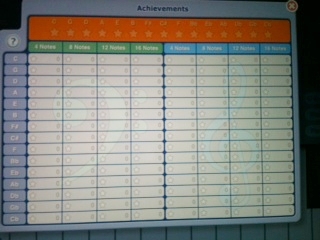
  First feature, you can have your students log in and it tracks their highest scores.
 I believe they have capacity for a least 20 students or more now. My students like finding their own name.
   This feature lists their highest scores and give me a look at what we have done before. This is a list of keys they have drilled..

Second feature; the screen has more than one note at a time. This strengthens intervalic note reading. You can adjust how many lines of music they do.
Third feature; you have choices of helps to give even your youngest student a chance to read notes.
    You can turn on colored notes to match the background of the note to play. Some students don't notice this help and others catch on right away and then I turn it off.
A blue dot can tutor them for awhile. Did you notice that you can change the keyboard size. This helps kids who don't use a touch screen much. It keeps them from leaning on other keys.
Fourth feature; You decide what notes to drill. You can do a small range of notes or the whole staff.

You can do only notes of a certain key. This allows older students to review scales and includes sharps and flats.
In review, I-Pad is a thumbs up in my studio and Note Goal Pro is usually on the screen during some part of the lesson,